Domain and DNS
What is a Domain, DNS, and Records
-
Domain is a unique name that allows connection to a server. Domains are often used instead of IP addresses, making it easier for users to find and access specific servers, websites, or online services. For example, the domain "google.com" points to a specific IP address where Google’s website is hosted.
-
Subdomain is a part of the hierarchical domain structure. It is a subordinate part (prefix) of the domain. For example, panel.skillhost.pl = panel (subdomain) + skillhost.pl (domain).
-
DNS (Domain Name System) is a global service that translates human-readable domain names like "google.com" into numerical IP addresses used by computers to find and connect to internet services (e.g., websites, game servers, mail servers).
-
Records are pieces of information stored in the DNS database that contain detailed data about the domain. Records define various types of information related to the domain, such as IP address, mail servers, name servers (NS), SPF (Sender Policy Framework) entries, or other domain configuration data. Domain records help indicate where specific internet services are located and are used to direct traffic on the network for particular queries.
Najważniejsze typy rekordów
| Record Type | Example | Description | Additional Information |
|---|---|---|---|
| A (Address) | example.com → 192.168.0.254 | Maps a domain name to an IPv4 address | The most common DNS record used to translate a domain to an IPv4 address |
| AAAA (IPv6 Address) | example.com → 2001:0db8:1234:5678:9abc::0123 | Maps a domain name to an IPv6 address | Translates a domain name to an IP address using IPv6 protocol |
| CNAME (Canonical Name) | www.example.com → example.com | Enables redirecting to another DNS entry | Creates aliases for domains. Used for redirecting to another domain name |
| MX (Mail Exchanger) | (mail sent to) mail@example.com → smtp.google.com | Specifies the mail server for the domain | Points to the mail server that handles email for the domain |
| SRV (Service) | example.com (in Minecraft) → myminecraftserver.xyz | Identifies a service at a specific domain address and port | SRV records allow clients to locate and connect to specific services by redirecting to the server hosting the service |
| TXT | example.com → "Example website." | Stores arbitrary text information | Used to store additional text info, e.g. authentication data for SPF or DKIM |
| NS (Name Server) | example.com → (hosted by) ns.cloudflare.com | Specifies name servers for the domain | Points to DNS servers that host and maintain domain information |
Setting Up Records
Log into the panel where you manage your domain. Here we will use the CloudFlare panel.
The number or names of fields may vary depending on where your domain is registered.
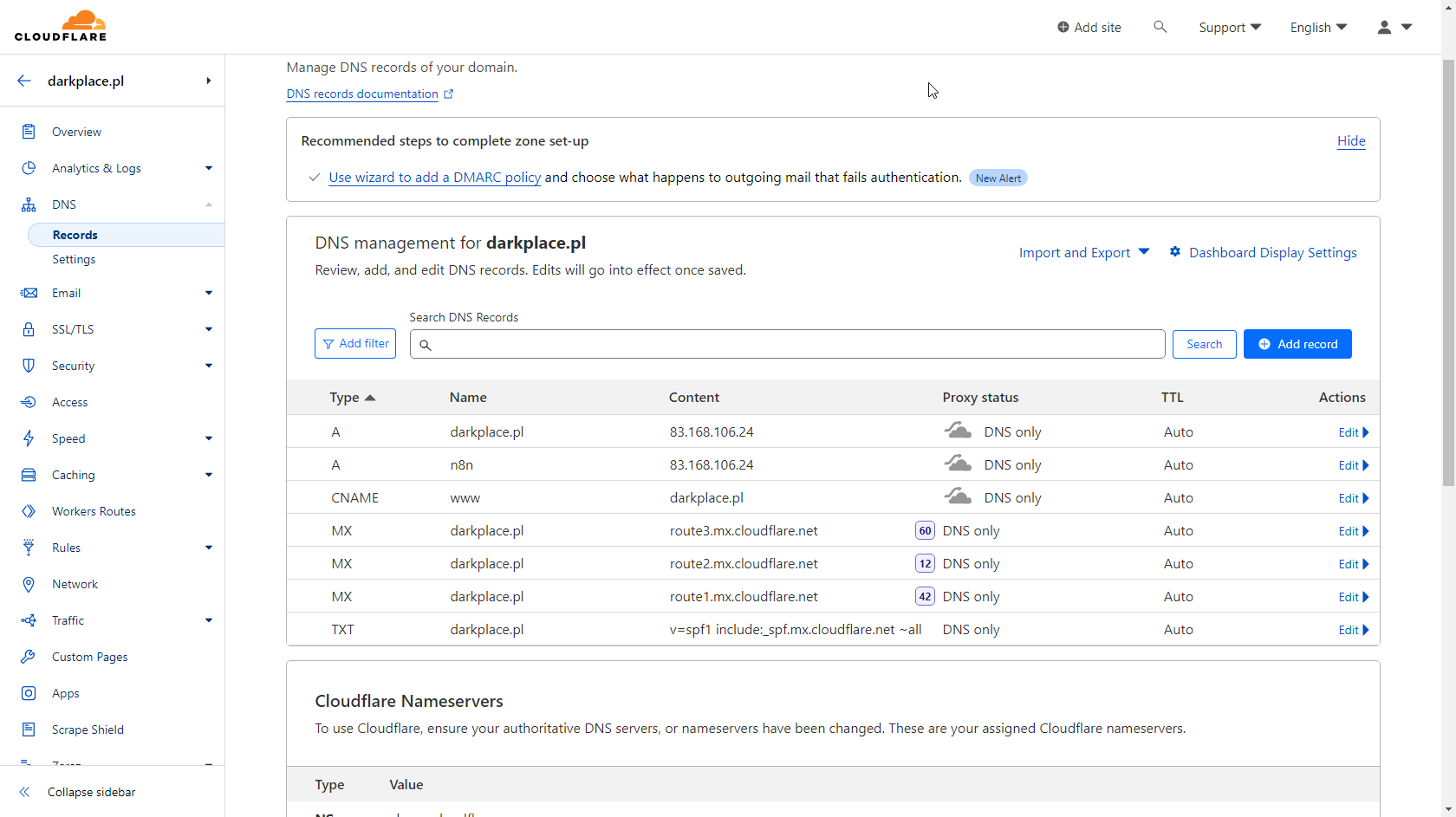
If you have just purchased the domain, you might encounter a basic configuration or a completely empty DNS zone. You can delete everything or edit existing entries.
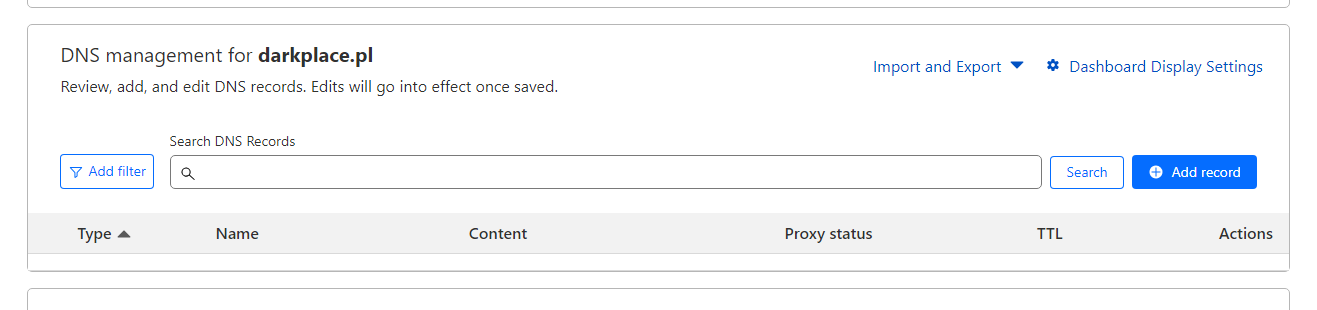
Adding an A or AAAA Record that points the main domain to the IP address of our server.
Choose to add or edit a record. Set the type to A or AAAA, select @ for the main domain in the name field, and enter your server’s IP address in the address field.

Adding a CNAME Record that redirects www.example.com to example.com
Choose to add or edit a record. Set the type to CNAME, select www as the subdomain name, and enter the domain it should redirect to in the target field.
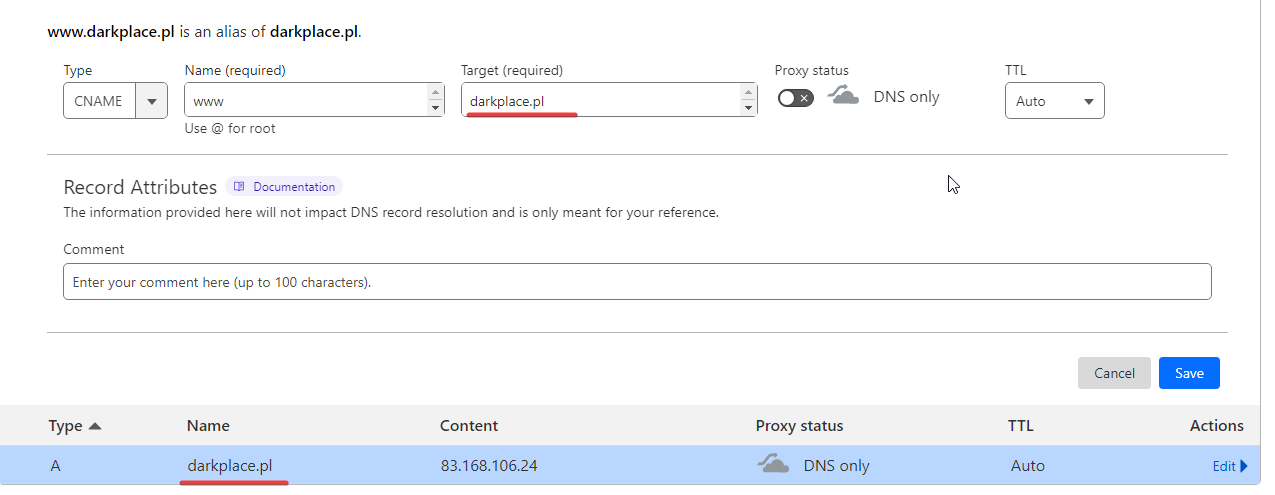
In this case, the website www.darkplace.pl redirects to darkplace.pl. For such redirection to work, we must have a different record with that name, or redirect to a completely different domain. For example:

Now, visiting skillhost.darkplace.pl will redirect to skillhost.pl.
Adding an SRV Record that identifies and redirects to a specified service.
SRV records are more complex and require some knowledge and consideration.
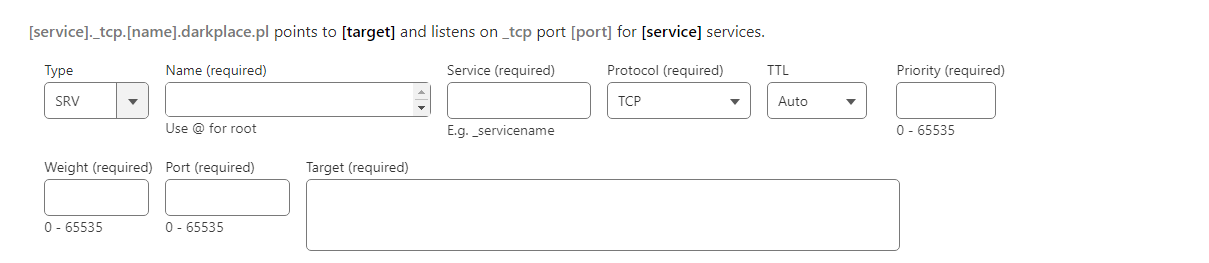
Judging by the number of fields, this task is more difficult. Let’s go through them one by one.
-
Record Type: Select "SRV", which defines this as a service record.
-
Name: Specifies the subdomain this record belongs to. If you want to link a service to the subdomain "mc," enter "mc" here.
-
Service: Defines the specific service registered in DNS.
-
Protocol: Transmission type, TCP (with acknowledgments) or UDP (without acknowledgments).
-
TTL (Time to Live): The time the record is cached before refreshing.
-
Weight: Weight that distributes traffic evenly between multiple records with the same priority. A higher weight increases the chance of this record being selected.
-
Port: The port number where the service is available.
-
Priority: A number indicating service priority. For multiple SRV records, a lower priority value means a higher priority for the connection.
-
Target: The full domain name of the computer or server hosting the service.
Where to get this data? The answer is simple: search online if the particular application or program supports and uses SRV records. Usually, you will also find example configurations.
Below are several examples. Review all, as each contains important differences.
- Minecraft Example
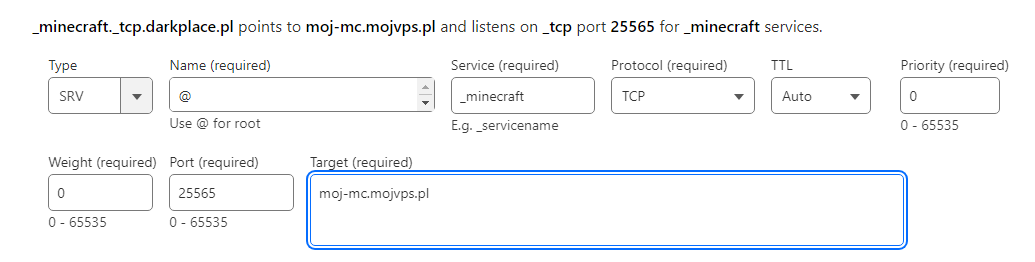
When you enter darkplace.pl in Minecraft, the DNS server connects you to the server at moj-mc.mojvps.pl.
- FiveM Example
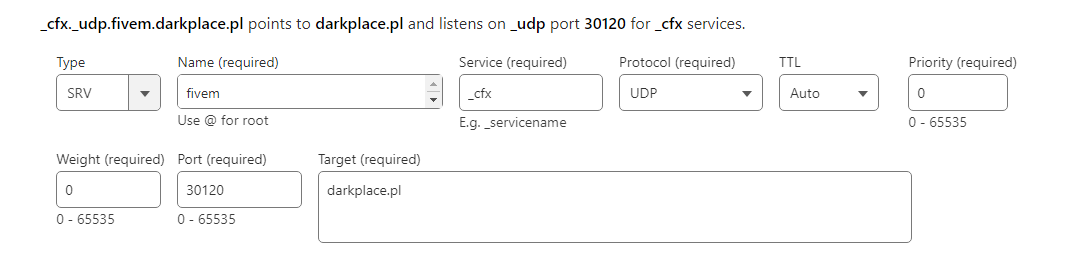
When you enter the server address fivem.darkplace.pl in FiveM, the DNS connects you to the server at darkplace.pl.
Since the server is assigned to the IP address linked with the domain darkplace.pl, you can also connect via darkplace.pl or 83.168.106.24, giving you three connection options.
- TS3 Example
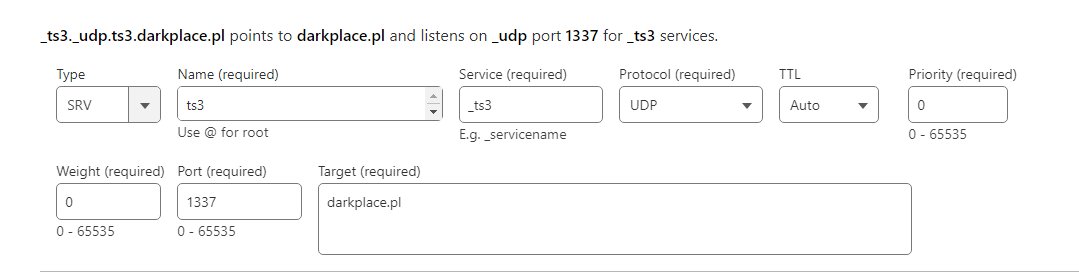
In this example, the TS3 server runs on a non-standard port (1337, default is 9987). Without an SRV record, connecting to the server would require specifying darkplace.pl:1337 or 83.168.106.24:1337. After adding the SRV record, you can connect using the simplified address ts3.darkplace.pl.