Free Subdomain
How does a subdomain work in SkillHost and what is it?
The DNS protocol is an ingenious invention of humanity. Thanks to it, you don’t have to remember your IP address to connect to a server.
For every VPS server at SkillHost, you can get a free subdomain in the format yourname.mojvps.pl.
How to claim a free subdomain?
- Log in to the SkillHost panel.
- Go to the Your Services tab located in the left menu.
- Select your server and open it.
- Navigate to the „Configuration” tab.
- Fill out the „Domain” form. In the „Domain name” field, enter the name you want, for example, SuperLand, then click Add domain.
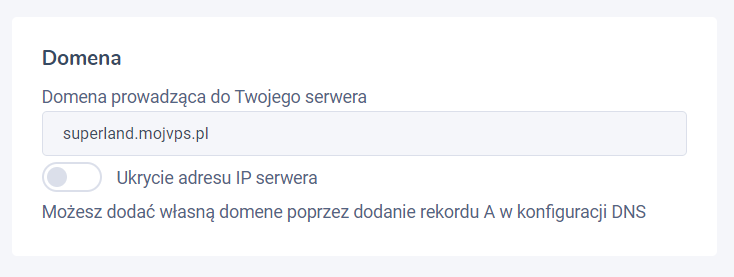
Screenshot from the panel after creating a domain
The „Hide IP Address” option.
This option is mainly intended for websites. It makes potential attacks on your server more difficult but at the same time prevents using this subdomain as a substitute for the IP address. In such a case, only a website will work correctly.
If everything went successfully, your server has just received a subdomain. Congratulations ❤️
You can use subdomains instead of the IP address, for example, to connect via SSH or to run your game server.